See what your Mac sends to your DAC.
PathBit sits in the menu bar and reads what macOS reports: the output rate, the format, the app playing and each step from the app to the device. What it cannot see, it marks as not visible.
 Coming to the Mac App StoreFree. Pro is $6.99, once. macOS 12 or later.
Exclusive output, reported by CoreAudio


One click in the menu bar.
Click the P. and the panel opens: the display on one side, the details and checks on the other.
Unless a player takes the device, macOS sets the rate your DAC receives.
macOS plays everything at one rate, set in Audio MIDI Setup, and converts files at any other rate. PathBit shows that rate.
When something on the way changes the audio, PathBit says what and why.
Each check says what it found, why it matters and what to change.


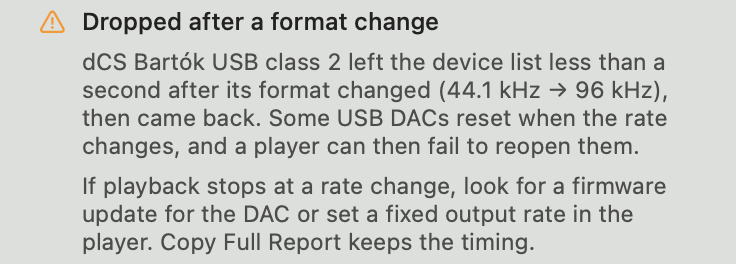
- High system output rateAudio MIDI Setup is set above your files' rate, so lower-rate tracks may be resampled.
- Balance off centerThe macOS balance for your output is off center, so one channel plays quieter.
- Bluetooth call mode likelyHeadphones drop to a call rate while an app uses their microphone.
It reads. It changes nothing.
Information goes up to PathBit. Nothing goes back down into your audio.
- app
- Audirvāna Studio
- mixer
- not mixing
- driver
- 96 kHz
- device
- 24-bit integer · USB
- no driver installed
- no audio captured
- no setting changed
- no permission asked
- no account, no analytics
Pick its faceplate.
Aluminium is PathBit's own. Champagne recalls high-end hi-fi; Phosphor and Amber suit a darker desk.


Every check is free.
Pro keeps PathBit in view.
One purchase through the App Store, shared with your family. No subscription, no account.
| Feature | free$0 | pro$6.99 once |
|---|---|---|
| Every check, with what to change | ||
| Device details and signal path | ||
| Full report and forum summary | ||
| Test with your own files | ||
| Output rate in the menu bar | – | |
| Notifications when the output changes | – | |
| Recent changes, with times | – | |
| Detached panel beside your player | – | |
| Compact view | – | |
| Phosphor, Champagne and Amber finishes | – |
Questions.
Does PathBit show the format of the file I'm playing?
No. It reads the output macOS sends to the device. The file's own rate and bit depth stay inside the player, so PathBit shows them as not visible.
Does it install anything or change my settings?
No. PathBit installs nothing and leaves Audio MIDI Setup as it is. It reads the same values that window shows.
Which players does it work with?
Any player, since it reads the output. When a player such as Audirvāna takes the device for itself, PathBit follows that device when macOS reports it.
Can it tell me my playback is bit-perfect?
No, and it never claims to. It shows the rate and format that reach the device. What the DAC does next is up to the DAC.
What do I need?
A Mac with macOS 12 or later. On macOS 14 and later, CoreAudio reports the app playing; on earlier versions, PathBit infers it.
How do I get Pro on another Mac?
Open the Pro window and choose Restore Purchase. Pro follows your Apple Account and Family Sharing.
More on the support page, or write to support@pathbitapp.com.